Discussion and Updates
Post in a project discussion
Each project has a Discussion tab, the team's message board. Only project members can post, even on a Public project.
Posting
- Posts can have text, links (up to 3 to other sites), code blocks and up to 4 images.
- Type @ and a few letters, then pick a teammate from the list to tag them. You can only tag project members.
- Press Reply under a post to keep that conversation together.
- Give a Helpful clover to posts that help.
- You have 5 minutes to edit a post. You can delete your own posts any time; a "Post deleted" marker stays so replies still make sense.
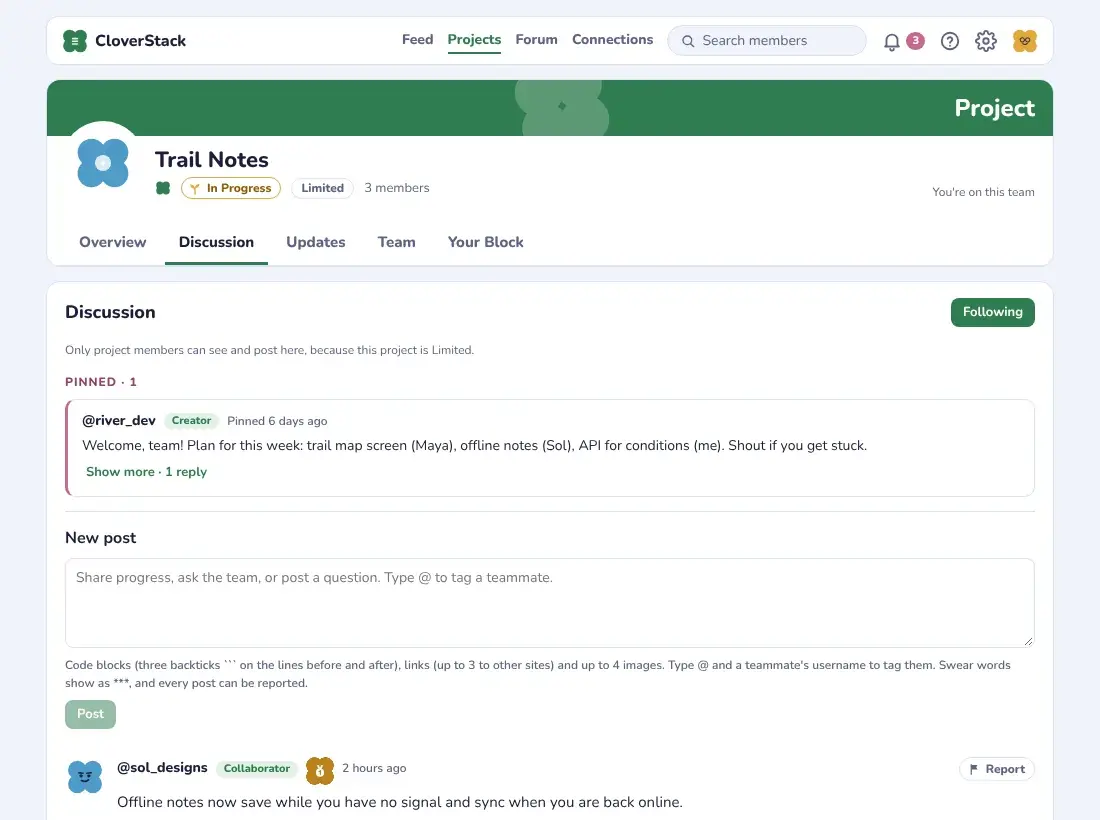
Pinned posts
The Creator and Admins can pin up to 5 important posts to the top. Pinned posts start collapsed with a short preview.
Following and reporting
- You follow your project's discussion automatically. You can turn that off in the discussion.
- Use the flag on any post to report it. The Creator and Admins can't delete other people's posts; they report them too.
- When the project is Complete, the discussion becomes a read-only archive.