Blocks and Feedback
Ask for and give Feedback
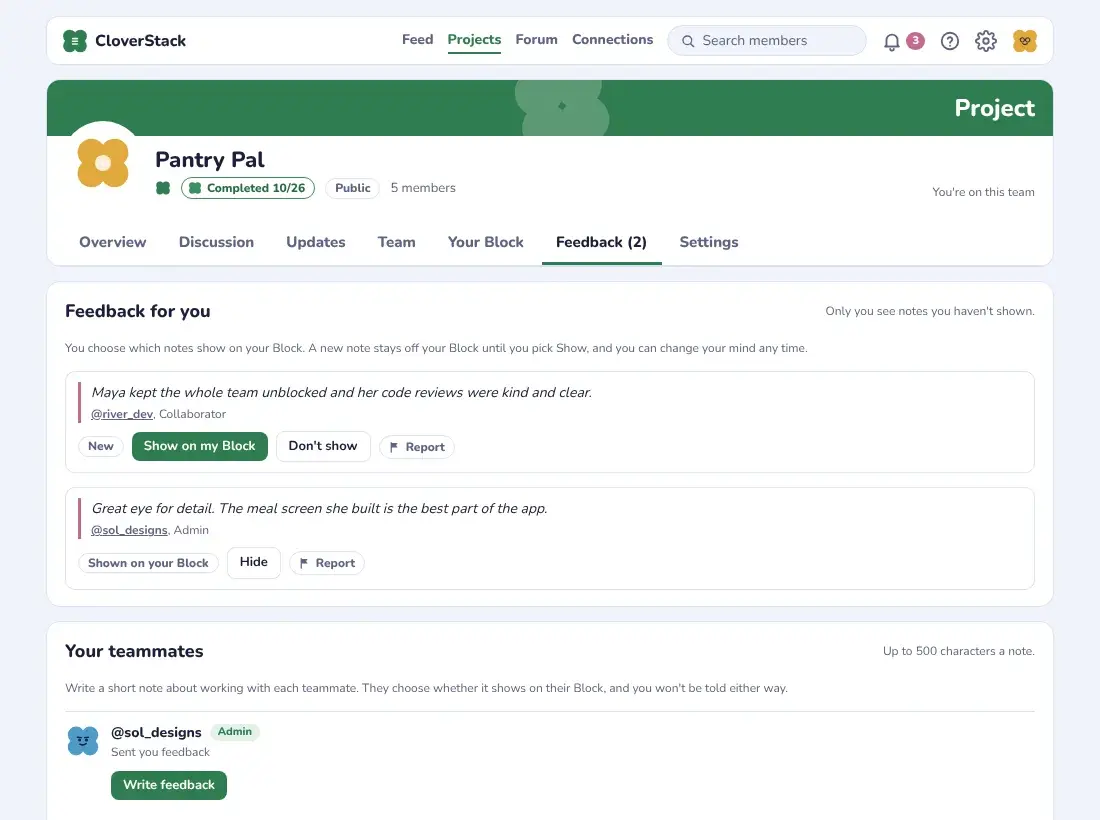
Once a project is Complete, its Feedback tab opens. Teammates write each other short notes, and each person chooses which notes show on their Block.
Ask and give
- Press Ask for feedback next to a teammate to ask them for a note.
- Press Write feedback to write a note for a teammate, up to 500 characters.
- They choose whether it shows on their Block, and you won't be told either way. If you change your note, they choose again.
Choose what shows
Under Feedback for you, a new note stays off your Block until you pick Show on my Block. Only you see notes you haven't shown, and you can change your mind any time.