Feed, Connections and Search
Your Feed
When you sign in, you land on your Feed. Everything is newest first, with no algorithm choosing what you see.
What's in it
- News from CloverStack, which stays at the top until you dismiss it.
- What your Connections and the people you follow are doing, like new Blocks and finished projects.
- Updates from projects you follow.
- Forum threads you follow, with their replies (yours too), and new threads in topics you follow. Starting or replying to a thread follows it for you.
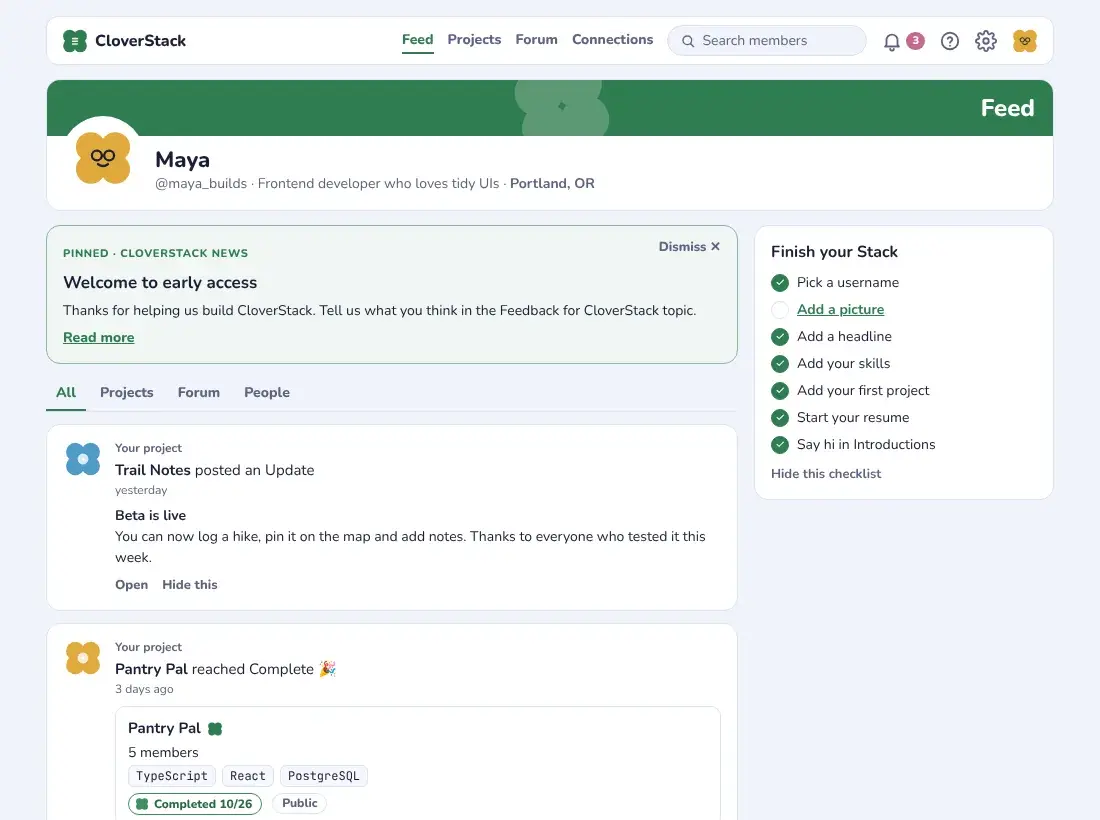
Use the tabs to see only Projects, Forum or People. Press Hide this on anything you don't want to see again. There are never job posts in your Feed list. CloverStack promos, and later some sponsored cards, only show in a labeled space beside it, and you can press Hide on any of them.