Projects
Find and join a project
You join a project by asking, or by being invited.
Find a project
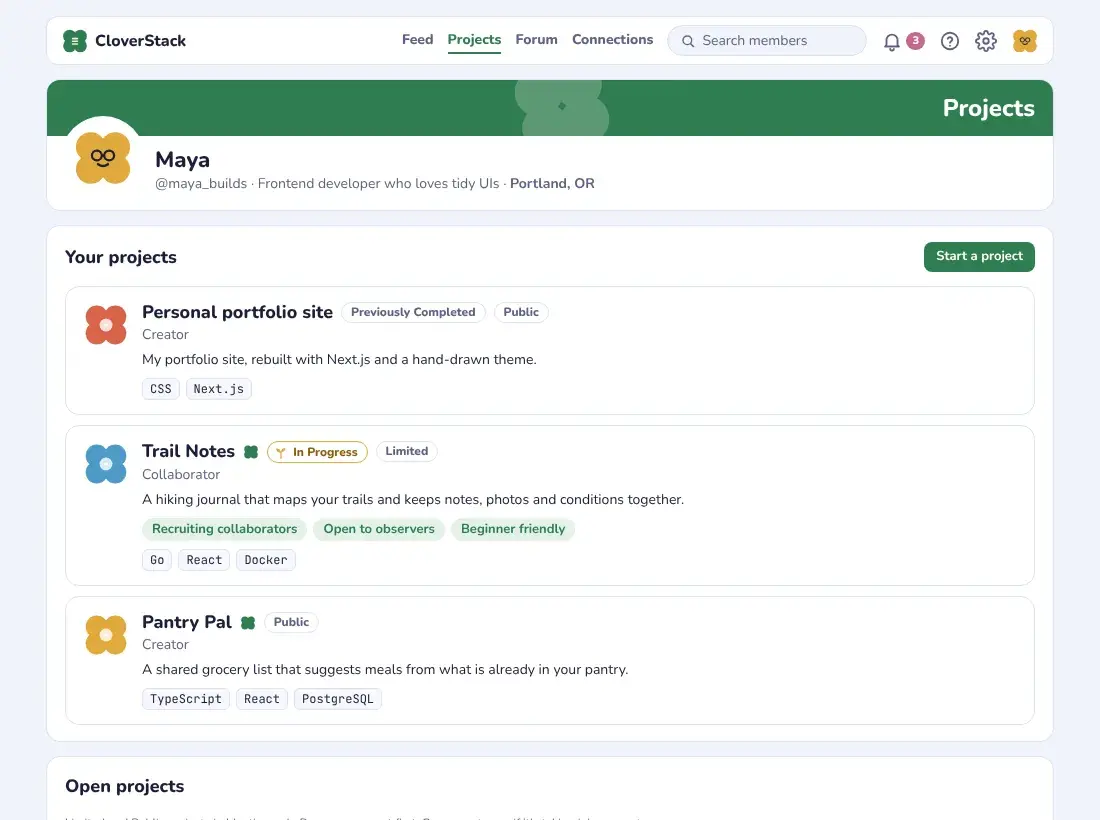
Projects in the menu bar lists your own projects, then Open projects: Limited and Public projects in Ideation or In Progress, newest first. Tags like Recruiting collaborators, Open to observers, Mentor wanted and Beginner friendly show what a project needs.
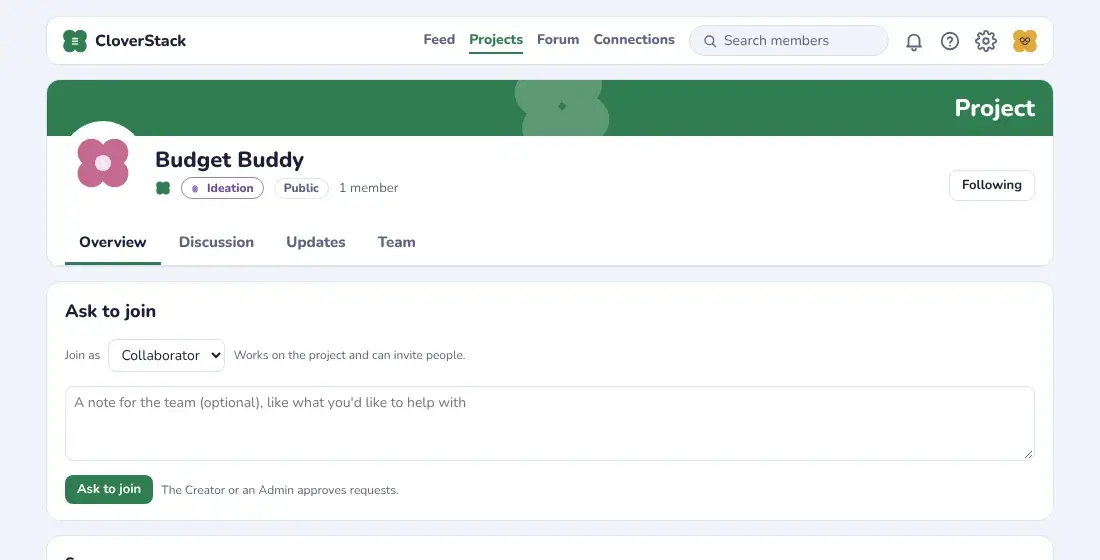
Ask to join
- Open a project that's taking join requests.
- In the Ask to join box, pick a role under Join as: Collaborator, Observer or Mentor.
- Add a short note if you like, and press Ask to join.
- The Creator or an Admin approves it, and can change the role first. The bell tells you when they do.
Invitations
- An invitation from the Creator or an Admin lets you straight in once you accept.
- Collaborators can invite people too, from the Team tab. The Creator or an Admin approves it as well.
- You can leave a project yourself any time from the Team tab.